
Free download · Phishing awareness
12 Quick Checks to Expose a Phishing Scam
A practical guide that helps business owners and employees identify phishing emails, suspicious links, fake websites, malicious attachments and social engineering tactics before they become a cyber security incident.
- 12 concise, actionable warning signs
- Plain English — no technical jargon
- Printable format for desks, kitchens and training rooms
- Free. No credit card or subscription required.
What is phishing?
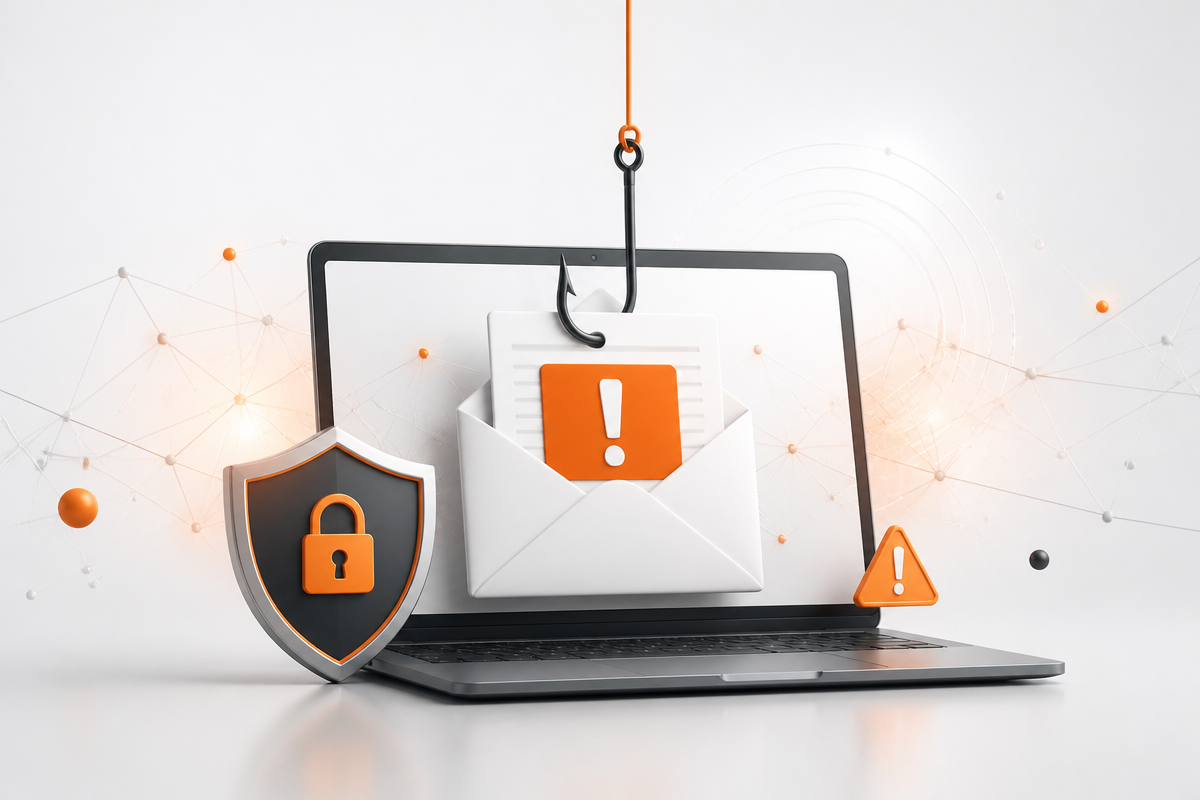
Phishing is a form of social engineering in which an attacker sends a fraudulent message that impersonates a trusted organisation or colleague, in order to trick the recipient into revealing credentials, approving a payment, opening a malicious attachment or clicking a suspicious link to a fake website.
Phishing emails
Bulk messages that impersonate banks, couriers, Microsoft 365 or HMRC and rely on volume rather than accuracy.
Spear phishing and BEC
Targeted messages written for one person or team, often after research or the compromise of a genuine supplier mailbox.
Smishing and vishing
The same social engineering delivered by SMS, phone call or chat, frequently paired with an MFA approval prompt.
This phishing awareness resource is published by Complete Cyber Security, part of Fresh Mango Technologies, which delivers Cyber Awareness Training, Cyber Essentials certification and managed cyber security services to SMEs across the UK, BVI and US.
Why phishing awareness matters for SMEs
Phishing is still the most common way criminals gain access to business email, passwords and financial systems. The emails often look identical to messages from banks, suppliers, delivery companies or colleagues. One rushed click can lead to invoice fraud, ransomware or a compromised customer database.
The good news is that most phishing attempts give themselves away if you know what to look for. This guide turns those warning signs into a quick mental checklist that anyone can use — from the reception desk to the finance team.
What you will learn
Download the full guide for the complete explanation of each check. Here is the quick-reference list.
Check 1
Suspicious sender addresses
Look for subtle typos in the domain. Amazon never emails from "amazon.secure-verification.com".
Check 2
Urgent action required
Artificial time pressure is designed to short-circuit your thinking. Legitimate companies give reasonable notice.
Check 3
Generic greetings
"Dear Valued Customer" is a mass-cast hook. Real companies usually address you by name.
Check 4
Poor grammar and awkward phrasing
Strange sentence structure and repeated typos are common signs of rushed or translated scam content.
Check 5
Suspicious links hiding behind text
Hover before you click. The true destination in the status bar often differs from the link text.
Check 6
Requests for sensitive information
No reputable company asks for your password, full card number or banking details by email.
Check 7
Unexpected attachments
An invoice or document you did not ask for can deliver ransomware. Verify through another channel.
Check 8
Missing security features on login pages
Look for the padlock and https:// in the address bar before entering any credentials.
Check 9
Too-good-to-be-true offers
Unexpected prizes and gift cards aim to override caution. If you did not enter, you did not win.
Check 10
Messages that bypass official channels
Banks and platforms direct you to log in through their app or website, not email links.
Check 11
Logos and branding that look off
Blurry logos, odd colours or misaligned layouts can reveal a copied or outdated brand.
Check 12
Unusual payment methods
Gift cards, cryptocurrency and wire transfers requested by email are almost always scams.
Phishing detection in practice
Three areas account for the majority of successful attacks against small and medium-sized businesses. Understanding each one turns the checklist above into a habit rather than a list.
How to check suspicious links
Hover over a link on desktop, or press and hold on mobile, to reveal its true destination. Read the domain from right to left: the words immediately before the first single slash are the real site, somicrosoft.login-verify.co belongs tologin-verify.co, not Microsoft. Be wary of link shorteners, QR codes in emails, and login pages that arrive unexpectedly. If a message asks you to sign in, open the service yourself from a bookmark instead of following the link.
How to handle malicious attachments
Unexpected attachments are a primary delivery route for credential theft and ransomware. Executable and script files, macro-enabled Office documents, password-protected archives that slip past scanning, and HTML files that open a fake login page locally all warrant a pause. Verify unexpected invoices or payment-detail changes with the sender by phone, using a number you already hold. Managed email security and endpoint detection and response catch much of this before it reaches a user, but never all of it.
How social engineering pressures people
Attackers exploit authority, urgency, fear, curiosity and the desire to be helpful. A message from the “CEO” asking for a discreet, urgent payment, a supplier quietly updating their bank details, or repeated MFA prompts at 11pm are all social engineering rather than technical exploits. This is why cyber security awareness works best as a continuous programme: people need to recognise the emotional pattern, not just the spelling mistakes.
Get the free guide now
Tell us where to send you. Complete the short form and your printable PDF unlocks immediately — no payment or subscription required.
How to use this in your business
Share it with every email user
A two-minute read is often enough to stop a clicked link. Email the PDF to all staff and ask them to keep it visible.
Print it for common areas
A visible reminder by the kettle, printer or reception desk keeps phishing awareness front of mind.
Use it in onboarding
New starters are often targeted because they do not yet know internal processes. Make this guide part of day one.
Pair it with training
Turn the checklist into a conversation starter. Ask staff to share the last suspicious email they received.
Where phishing awareness fits in your wider cyber security
A checklist changes behaviour only when it sits alongside technical controls and ongoing support. Complete Cyber Security, part of Fresh Mango Technologies, delivers each of the layers below for SMEs in the UK, British Virgin Islands and United States.
Cyber Awareness Training
Short monthly modules and realistic phishing simulation that measurably lower click rates and raise reporting rates across your team.
Cyber Essentials certification
The government-backed baseline covering firewalls, secure configuration, user access control, malware protection and patching — the controls that limit the damage when a phishing email does land.
Managed cyber security services
24/7 monitoring, detection and response so a compromised mailbox or clicked link is spotted and contained rather than discovered weeks later. See the full range of cyber security services.
IT support and managed IT
Fresh Mango Technologies provides day-to-day IT support alongside security, so patching, device management and user offboarding do not quietly drift out of date.
FAQ
Phishing questions answered
Clear answers to the questions people most often ask about phishing emails, suspicious links, malicious attachments and cyber awareness training.
What is phishing?
+
Phishing is a form of social engineering in which an attacker sends a fraudulent message — usually email, but also SMS (smishing), phone calls (vishing) or chat — that impersonates a trusted organisation or colleague in order to trick the recipient into revealing credentials, approving a payment, opening a malicious attachment or clicking a link to a fake website. It remains the most common initial access method used against UK SMEs.
How can you tell if an email is a phishing email?
+
Check the sender's full email address for lookalike domains, hover over links to reveal the real destination, treat urgency and threats as a warning sign, be suspicious of generic greetings, and never trust an unexpected attachment. If the message asks you to log in, confirm bank details, change payment instructions or buy gift cards, verify it by contacting the sender through a number or address you already hold — never the details in the message.
What should I do if I clicked a link in a phishing email?
+
Do not enter any further information. Disconnect the device from the network if you downloaded a file, change the password for any account whose credentials you entered, and enable or re-check multi-factor authentication on that account. Report it immediately to your IT or cyber security provider so mailbox rules, sign-in logs and endpoint alerts can be reviewed — early reporting is usually the difference between a near-miss and a full incident.
How do I check if a link is safe before clicking?
+
Hover over the link on desktop, or press and hold on mobile, to reveal the true destination. Read the domain from right to left — the part immediately before the first single slash is the real site. Watch for lookalike spellings, extra words bolted onto a brand name, unfamiliar country extensions and link shorteners that hide the destination. When in doubt, type the organisation's address into the browser yourself instead of clicking.
Which email attachments are dangerous?
+
Treat any unexpected attachment as suspicious, especially executable and script types (.exe, .js, .scr, .iso, .hta), macro-enabled Office files (.docm, .xlsm), password-protected archives that bypass scanning, and HTML files that open a fake login page locally. A PDF or invoice from a supplier you did not expect is also a common delivery route for credential theft and ransomware.
What is social engineering and how does it relate to phishing?
+
Social engineering is the manipulation of people rather than technology — exploiting authority, urgency, curiosity, fear and helpfulness to make someone act against their own interest. Phishing is the most widespread form of social engineering delivered by message. Other variants include business email compromise, invoice fraud, pretexting, and MFA fatigue attacks that spam approval prompts until a user accepts one.
What is the difference between phishing and spear phishing?
+
Phishing is sent in bulk with a generic hook and hopes a small percentage respond. Spear phishing is targeted: the attacker researches the recipient, their role, colleagues, suppliers and current projects, then writes a specific and plausible message. Whaling targets senior executives, and business email compromise usually follows the compromise of a real mailbox so the message arrives from a genuine address.
How can a small business reduce phishing risk?
+
Combine technical controls with human ones: multi-factor authentication on every account, email filtering and anti-spoofing records (SPF, DKIM and DMARC), managed endpoint protection, prompt patching, an easy way for staff to report suspicious messages, and regular Cyber Awareness Training with simulated phishing so people practise spotting real attacks. Cyber Essentials certification provides a structured baseline for the technical side.
Does cyber awareness training actually reduce phishing clicks?
+
Short, frequent training combined with realistic phishing simulation typically produces a measurable fall in click rates and, just as importantly, a rise in reporting rates over the first few months. Reporting matters because it gives your provider time to contain an attack. One-off annual training tends to fade quickly, which is why programmes are usually delivered monthly.
What is inside the 12 Quick Checks guide?
+
The guide walks through 12 practical warning signs that help employees and business owners spot phishing emails, suspicious links, fake websites, malicious attachments and social-engineering tactics before they become an incident. Each check includes a short explanation of why it matters and a quick defence you can apply immediately.
Who is this phishing checklist for?
+
It is written for business owners, office managers, finance teams and any employee who uses email or the web at work. The language is plain English, not technical jargon, so it works equally well as a staff handout, an onboarding resource or a personal refresher.
Is the guide really free, and do I need to provide payment details?
+
Yes, it is completely free. You do not need to enter any payment information or subscribe to anything — complete the short form and the PDF unlocks immediately so you can save it, print it or share it with your team.
Does this checklist replace cyber awareness training?
+
No. The checklist is a quick-reference tool that reinforces good habits. For lasting behaviour change — especially around phishing, social engineering and incident reporting — most SMEs benefit from structured Cyber Awareness Training that includes simulated phishing, short monthly modules and measurable reporting for managers.
What should I do if I spot a phishing email at work?
+
Do not click links, open attachments or reply. Report it to your IT contact or security provider using the channel your business has agreed — usually a report button in Outlook or Google Workspace, or a direct message to your managed service provider. If you have already clicked or entered credentials, disconnect from the network and seek help immediately.
Explore related topics
Short, factual definitions of the concepts behind phishing, social engineering and email security.
How Complete Cyber Security can help

Two ways to get started
Not sure what you need? Speak to us. Want ongoing protection? Try it free.
Book a free 30-minute Cyber Security Review with our UK team, or start a 14-day free trial of Cyber Shield and see the difference for yourself.